
Firestick Indian TV abroad
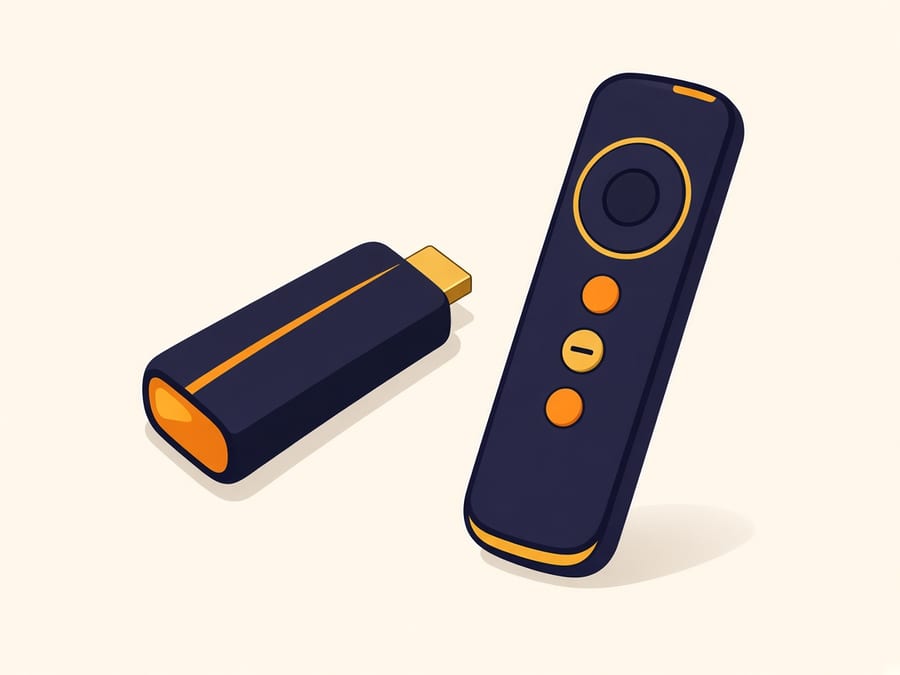
A Firestick is the most reliable way to watch Indian TV abroad on a television that is not a modern Smart TV. It plugs into any HDMI port, costs very little as a one-off purchase, and sidesteps Smart TV compatibility questions. We send Fire TV setup steps with your account; we do not sell the hardware.
The Fire TV Stick has become the default answer for Indian households abroad, and for good reason. It is cheap, it is sold everywhere, it works on essentially any television made in the last fifteen years, and it behaves the same regardless of what brand the TV is.
That consistency is the real advantage. Smart TV platforms differ enormously between manufacturers and model years. A Fire TV Stick is the same device in Warsaw, Dublin and Dubai, which makes it much easier for us to support you if something goes wrong.
Good choice if
- Older televisions that are not smart, or Smart TVs that turn out not to be supported
- Anyone who wants a setup we can support quickly, because the device behaves identically for everyone
- Households where the TV is fine but the built-in software is slow or awkward
- Renters, because it unplugs and travels with you when you move
Worth knowing first
- It is a separate purchase. We do not sell hardware, and you can buy one from any normal retailer.
- Older or lower-specification Fire TV Stick models can feel sluggish with very long channel lists.
- It occupies an HDMI port and adds a second remote to the living room.
- It needs a decent Wi-Fi signal where the television is. If the TV is far from the router, that is usually the real cause of playback problems rather than the stick itself.
Setup
Getting started on Firestick
We do not publish step-by-step configuration guides on public pages. The exact app and settings are issued with your account, and generic IPTV setup walkthroughs tend to end up serving unlicensed streams rather than customers.
- Step 1
Plug the Fire TV Stick into a free HDMI port and connect it to your Wi-Fi.
- Step 2
Subscribe, and we send your account details along with the exact steps for Fire TV.
- Step 3
Install what we tell you to install and sign in once.
- Step 4
If anything does not work, message us — because every Fire TV Stick behaves the same, this is the fastest device for us to troubleshoot.
Plans
Same price on every device
6 Months
$76total for 6 months
Works out at $12.67 per month
A half-year subscription. A sensible way to start if you want to try the service across a full season of your regular shows before committing for longer.
Subscribe to 6 Months12 Months
$131total for 12 months
Works out at $10.92 per month
A full-year subscription at a lower effective monthly cost than the six-month plan. Suited to households that watch Indian television regularly all year.
Subscribe to 12 Months- Prices shown are the full amount for the whole plan length, not a monthly charge.
- Channel availability depends on what each broadcaster makes available in your region, and line-ups can change.
- The catalogue totals are what the business reports. Ask us about a specific channel before you subscribe and we will tell you whether it is carried.
Firestick questions
Can I watch Indian TV channels on a Firestick?
Yes. A Fire TV Stick works with any television that has an HDMI port, including televisions that are not smart at all. We send device-specific instructions with your account details after you subscribe.
Do you sell the Fire TV Stick?
No. We do not sell hardware. Buy one from any normal retailer — there is nothing special about the unit you need and you should not pay a premium for a preconfigured one.
Which Fire TV Stick model should I get?
Any current model is fine. Faster models handle long channel lists more smoothly, but the difference is convenience rather than whether the service works. If you are buying new, the current-generation stick is more than sufficient.
My Firestick keeps buffering. What is usually wrong?
In most cases it is the Wi-Fi signal where the television sits rather than the stick or your broadband speed. Moving the router, or using a lower stream quality, resolves the majority of these. Message us and we will work through it with you.
More on watching on Firestick — including questions that need a longer answer — is on the frequently asked questions page and in the blog.
Reading
Related guides
Longer reading on choosing hardware and on the claims worth distrusting in this market.
 9 min read
Smart TV, Firestick or Android TV: Which Should You Use?
For Indian TV abroad: if the television is a recent Smart TV, try that first — it needs no extra hardware. If it is older, not smart, or unsupported, a Firestick is the cheapest reliable fix.
Read the guide 9 min read
What a Channel Count Actually Means
The catalogue the business reports is more than 20,000 live channels and more than 150,000 films and series. That is a size figure, not a named line-up.
Read the guide
Not sure Firestick is right for you?
Tell us what you own and how you watch. We will point you at the cheapest thing that works, including telling you when you do not need to buy anything at all.
WhatsApp and Telegram: +971 52 434 6367. Ask us about a specific channel before you subscribe — we would rather tell you it is not carried than take your money.