
How to watch Indian TV abroad
Four steps, one of which is us checking whether we can actually serve you before you pay anything. No dish, no engineer, no box we sell.
Indian television is streamed to you over your ordinary internet connection. You choose a plan length, we issue your account details and setup instructions for your specific device, you sign in once, and the channels load. Nothing is installed at your home, nothing is fitted to the building, and nothing needs to be cancelled with your existing TV or broadband provider.
- 1
Tell us what you watch and what you own
Message us on WhatsApp or Telegram with two things: the channels or languages that matter to you, and the device you intend to watch on. If it is a television, include the make and model.
This step exists so we can tell you no. If a channel you care about is not carried, or your television is not supported, it is far better for both of us that you find out here rather than after paying.
- 2
Choose six or twelve months
There are two plan lengths and no functional difference between them. Both include every language, every content category and every supported device.
Six months suits fixed-term contracts, student visas and anyone who wants to try it first. Twelve months costs less per month if you know you will use it all year.
- 3
We issue your account and setup instructions
Once the plan is arranged, we send your account details along with instructions written for the specific device you told us about, rather than a generic guide that half applies.
We do not publish those instructions on this website. Generic IPTV setup walkthroughs posted publicly tend to end up serving people using unlicensed streams rather than customers, and we would rather not contribute to that.
- 4
Sign in once, then it is just television
You install what we specify, sign in, and the channel list loads. After that it works the way any television does — a list of channels and a remote.
If something does not work, message us. On a Fire TV Stick in particular we can usually resolve things quickly, because every unit behaves identically and we know exactly what you are looking at.
After you sign in
It should feel like ordinary television
Once the account is on the device, the evening is not a setup ritual. You pick a channel, or you open catch-up because Indian prime time already happened while you were at work.
Live news and sport still belong on live. Serials, films and most of what a household actually sits down for belong on catch-up (eight hours every day) and the on-demand library of more than 150,000 films and series. Both come with the subscription. New titles are added to the library; ask if a particular one decides the purchase.
Requirements
What you need
A reasonable internet connection
Fixed broadband or mobile data. Most modern home connections handle live streaming without difficulty. We are not going to quote a minimum speed figure, because it depends on your device, your stream quality and where your router is — tell us your situation and we will assess it honestly.
A supported device
A Smart TV, a Fire TV Stick, an Android TV box, a phone, a tablet or a computer. You almost certainly own at least one of these already. We do not sell hardware.
Nothing else
No satellite dish. No aerial. No engineer visit. No landlord permission. No local cable or TV package. Nothing is fitted to your home and nothing is left behind if you move.
Device-by-device detail, including where each one is the wrong choice: Smart TV, Firestick, Android TV, Mobile, Computer.
Before you write
What to have ready in the first message
A specific first message gets a specific answer. A vague one gets a delay while we ask the same questions back.
The channels that decide it
Name the news channel, serial or sports feed you actually watch. The business reports more than 20,000 live channels; that still does not confirm any particular name. We would rather tell you no than take payment on a guess.
The device you will use
Make, model and approximate age if it is a television. A Fire TV Stick, phone or laptop is simpler — say which. If the set is unsupported, the cheapest fix is usually a stick from an ordinary retailer, not hardware we sell.
Where you will watch
Country is enough. City helps if your connection is unusual. The service is not tied to an address, so a later move does not mean a new installation. If you split time between two countries, say so — we will tell you how account access actually works rather than leave you to assume.
How you actually watch
Live news and sport belong on live. Serials and films belong on catch-up (eight hours every day) and the on-demand library. If Indian prime time falls in the middle of your working day, say so: that is normal in Europe, and it is why catch-up is included rather than sold separately.
Questions about getting started
How does an Indian TV subscription work?
You choose a plan length, we issue your account details and device-specific setup instructions, you sign in once, and the channel list loads. Everything is delivered over your existing internet connection, so nothing is installed at your property. The FAQ covers the same sequence more briefly.
How long does setup take?
The setup itself is short once you have your account details. We are not going to promise a specific number of minutes for account issuing, because it depends on when you contact us, and we would rather under-promise than quote a figure we cannot hold to.
Why do you not publish setup guides on the website?
Because generic IPTV configuration walkthroughs published publicly are used far more often by people accessing unlicensed streams than by paying customers. Your instructions come with your account, written for the device you told us you have.
What happens if I move house or move country?
Nothing. Your subscription is tied to your account rather than to an address or an installation, so you sign in at the new place and carry on. There is no re-installation and no transfer process.
What if it does not work on my device?
Tell us before you subscribe and we will check. If it turns out afterwards that your television is not supported, a Fire TV Stick plugged into the same TV resolves it for a small one-off cost from any ordinary retailer.
Do I need to cancel my existing TV or broadband package?
No. Nothing is fitted to your home and nothing uses your aerial socket, so your current broadband and any local TV package you already have are unaffected. You can keep, change or cancel those independently.
What should I have ready in the first message?
The channel names that decide the purchase, the device you will use (make and model if it is a television), and the country you are in. That is usually enough for a yes, a no, or a specific follow-up — rather than a generic sales reply.
More on getting set up — including questions that need a longer answer — is on the frequently asked questions page and in the blog.
Reading
Related guides
The questions people still have after reading the steps — including which device to use and what not to believe.
 9 min read
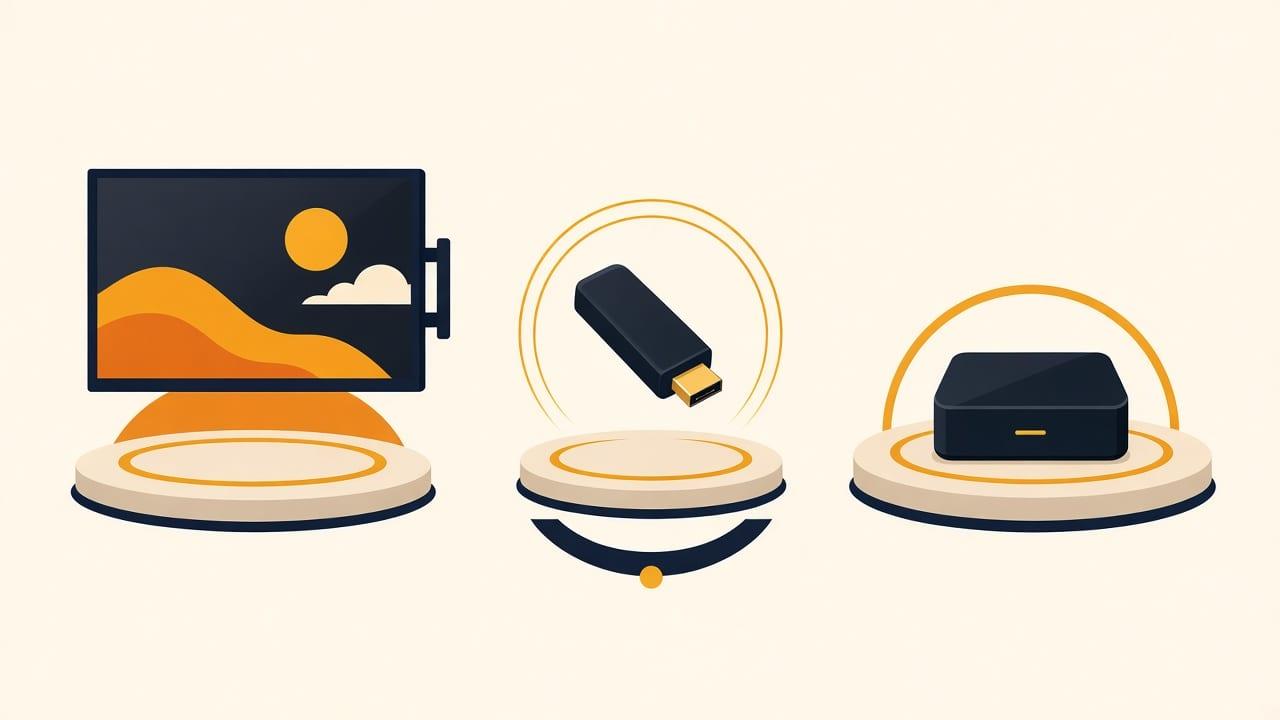
Smart TV, Firestick or Android TV: Which Should You Use?
For Indian TV abroad: if the television is a recent Smart TV, try that first — it needs no extra hardware. If it is older, not smart, or unsupported, a Firestick is the cheapest reliable fix.
Read the guide 9 min read
What a Channel Count Actually Means
The catalogue the business reports is more than 20,000 live channels and more than 150,000 films and series. That is a size figure, not a named line-up.
Read the guide
Start with a question, not a payment
Message us the channels you watch and the device you own. We will tell you plainly whether this will work for you.
WhatsApp and Telegram: +971 52 434 6367. Ask us about a specific channel before you subscribe — we would rather tell you it is not carried than take your money.